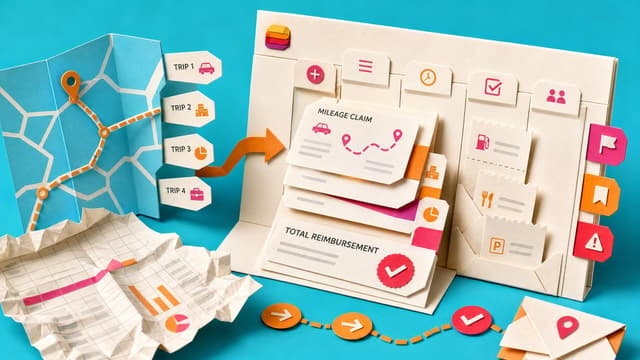
Mileage claims often live in awkward spreadsheets because one trip, multiple trips and receipts need different questions. Forms branching shortens intake while Lists hold submissions and a calculated reimbursement total. Record structure first, then List, then Form.
Weekly progress notes become hours of reconstruction when tasks, decisions, promises and meeting actions live across Teams, Planner and email. The missing piece is one agreed status home, not another reporting template.
Copilot in Outlook, Teams and related Microsoft 365 apps remains gated by licences, admin switches and policy. Shared triage and meeting habits break when colleagues lack the same AI tools.
Chrome or Edge can generate a QR code for a SharePoint page. Frontline staff scan to open stable pages such as onboarding hubs or policies without long links, if permissions and ownership stay current.
Scattered Outlook flags, chat actions and plan boards create duplicate lists and unclear owners. Planner My Tasks can surface personal, assigned and flagged work for one review, while My Day stays a short focus list and shared items keep a single visible owner.
Microsoft Teams guidance says agents in group chats should prefer reactions, threaded replies, and quoted answers over main-channel posts. Shared interaction rules protect scanability before wider agent rollout.
Microsoft Teams can attach a meeting to an existing Planner plan so Facilitator and manual actions land with the project. If no plan is chosen, meetings still create a new plan by default, so setup choice determines whether task sprawl continues.
Outlook retires free Meeting Insights by early September 2026, pointing licensed Copilot users to paid Prepare for this meeting with no free replacement named. Related mail and files stop auto-surfacing in meeting details.
SharePoint works best when business owners run content quality, membership and sharing, while IT keeps tenant security, lifecycle and guardrails. An explicit RACI stops permission bottlenecks and unclear stewardship on Team sites.
Teams and SharePoint are different working surfaces over the same shared content. Channel files live in SharePoint. Chat-led work starts in Teams; library-led work starts in SharePoint, cutting duplicate folders and link sprawl.
From September 2026, Microsoft Teams moves muted threads and meeting chats into their own list sections. Muted chats are on by default; Meeting chats need enabling. Users can reorder sections and clear filters so the main chat list only shows active conversations.
Microsoft will block Exchange Web Services in Exchange Online from October 2026, full retirement by April 2027. Supported Outlook keeps working; third-party apps, backups and older clients on EWS risk failure. Admins should list non-Microsoft mailbox tools and confirm Graph…
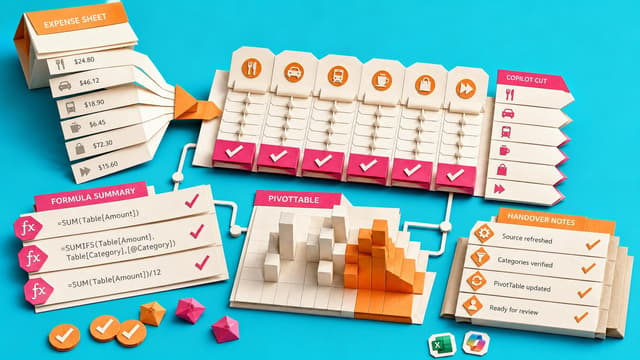
Excel Copilot can categorise expenses, build formula summaries and PivotTables, and document monthly refresh steps. The walkthrough stresses human checks on AI categories so one-off results become durable, reviewable workbooks.
Microsoft 365 Copilot mobile now sends licensed users prompts like Your Day at a Glance and Items waiting for you on iOS and Android. Tapping a notification opens the matching Copilot response, which may cut app-switching during triage if items stay relevant.
A Loop page can hold one shared offboarding checklist with collapsible HR, IT and manager sections and task owners. Ordinary Loop components replace scattered private lists so coordinators see open work before access is removed.
Teams Recap app collects past meeting recaps in one searchable workspace with filters and Audio Recap. Covers the prior 30 days so workers find decisions without hunting chats, though lasting items still need a project record.
Teams meetings scheduled from a shared mailbox store recordings and transcripts in that organiser’s OneDrive. If the mailbox is unlicensed, those files are not a dependable long-term record. Ownership and licensing matter more than who creates the invite.
SharePoint Lists can serve as lightweight checklists using Yes/No columns and collapsible sections. Teams gain a scannable status view for recurring handovers and monthly checks without the overhead of a full task system or multi-editor spreadsheet chaos.