SharePoint created-or-modified triggers report connector activity, not business intent. Without field or status conditions, Power Automate flows duplicate work on system updates, concurrent edits, and permission changes.
Microsoft’s 2026 release plan lists direct scheduling for desktop flows and a flow-chart view as August public previews, with dates subject to change. Makers still need machine owners, connection checks, and tested failure paths before production use.
Microsoft sharing docs still tie Power Automate flow actions to whoever authorised each connection. Co-owners alone will not keep departmental automations alive after staff leave. Critical flows need connections under a stable shared account.
Microsoft Power Platform admin docs separate Microsoft 365 seeded Power Automate rights from Premium, Process, and RPA capacity. Seeded plans cover standard cloud connectors; premium connectors, unattended desktop, and AI Builder sit on paid paths that can block production.
Copilot Studio agent skills package a job’s instructions, scripts and templates into a zip another agent can run. A certificate PDF example shows creation via Skill Creator, upload, and why tests with missing fields reveal whether the skill asks or invents.
Microsoft shipped a Power Automate plugin for GitHub Copilot CLI and Claude Code. Makers can create, edit, run and debug cloud flows in natural language from the terminal, shortening the run-history debug loop while ownership and production controls still matter.
Copilot Studio workflows can call an agent via the Agent node for one judgement-heavy step, then reuse the response downstream. The public-preview feature runs in the user’s context; outputs need validation before irreversible actions.
SharePoint’s Button web part can launch a flow by Flow ID, but sharing, connection consent, and default-environment limits still decide whether site visitors can run it successfully.
Copilot Studio can generate an employee onboarding agent and multi-connector workflow from one prompt. Testing still found draft workflow references and broken natural-language date expressions that makers must fix before HR use.
Microsoft published a guide for resilient Power Automate flows. It covers non-personal ownership, connection references, error handling, retries, managed production solutions and monitoring so critical flows do not fail quietly when owners leave or connections break.
Microsoft deprecates the Power Automate mobile app for iOS and Android from 31 August 2026. Cloud flows still run, but the app, home-screen widget and mobile notifications lose support. Makers must replace notification-dependent paths before the deadline.
Classic SharePoint Alerts end in July 2026 with no auto-migration. Simple list watches move to Rules; only conditional or Teams notifications need Power Automate flows with clear owners and failure alerts.
Power Automate flow groups share one Process licence’s 250,000 daily actions across up to 25 solution-aware cloud flows. Makers monitor 28-day averages so related stable workflows can pool capacity while high-volume flows stay on separate licences.
Microsoft retired PL-500 Power Automate RPA Developer cert on 30 June 2026 with no replacement. Skill signals shift from that badge to reliable production flows, ownership, and monitoring. Teams routing hiring or training through PL-500 need updated criteria.
Power Automate triggers on DocuSign envelope completion, pulls the signed document and certificate, and saves one combined PDF to SharePoint. Teams get a single searchable home for completed agreements and audit records.
SharePoint and Teams now let users start workflows beside the work via lists, libraries, and channels. Context-aware templates and triggers reduce the jump to a blank designer. Ownership, connections, and failure handling still matter after sharing.
GitHub Copilot can scaffold and test useful Power Automate flows from prompts, including formulas and connection conditions. Flows may land outside the intended solution and hit designer errors, so makers still need to verify placement, connections and test output.
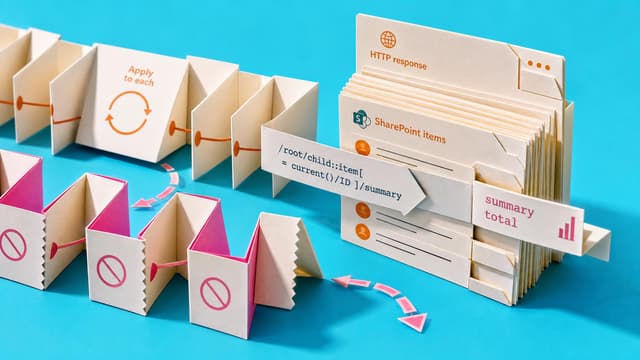
Power Automate makers often use Apply to each loops just to calculate totals, averages or summaries. XPath expressions can perform those calculations without looping, cutting actions and simplifying run history on high-volume flows with HTTP or SharePoint data.
Finish with three working, tested flows: an email-triggered approval that records approved data in Excel, a Forms-to-SharePoint request process with custom approval branches and Teams status messages, and an AI-assisted travel request flow with structured output and human approval.