
Collab365 Team
Briefing·Last Update: 14th Sept 2026
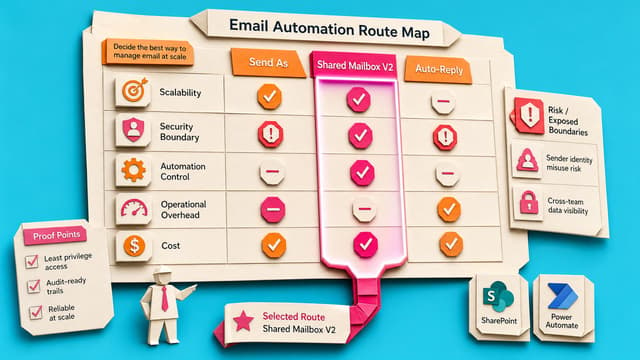
Choose Send As, Shared Mailbox V2, or Mailbox Auto-Reply
Power Automate can send mail successfully while still failing the business test if messages leave from the maker instead of HR, finance, or support. Send As, Shared Mailbox V2, and mailbox auto-reply differ on sender identity, reply routing, permissions, and Sent Items.
Collab365 Team
Briefing·Last Update: 24th Aug 2026
Copilot Flow Safety Checklist for First-Run Sign-Off
Copilot-built Power Automate flows can send messages, update records, or trigger approvals. This checklist covers trigger, actions, dynamic content, connections, and test data to confirm the draft matches the intended process before first-run sign-off.
Collab365 Team
Briefing·Last Update: 10th Aug 2026
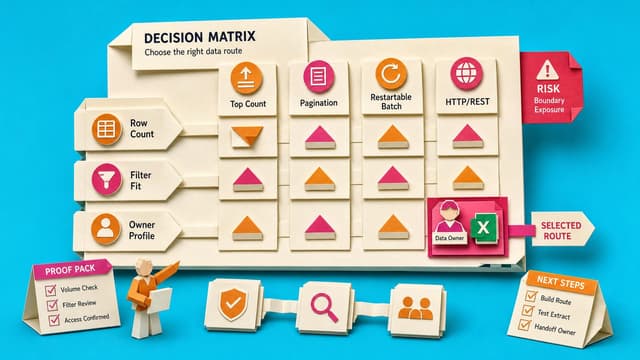
Choose the Right Get items Retrieval Pattern
Power Automate Get items can finish green yet leave SharePoint rows behind. Defaults return 100 items; Top Count caps at 5,000; pagination follows performance-profile ceilings. Match the first test to the symptom before changing a live flow.

Collab365 Team
Briefing·Last Update: 10th Aug 2026
Power Automate in 2026: What to Keep, Change and Check After the Beginner Masterclass
2021 Power Automate beginners face a new designer, Copilot and licence names in 2026. Core triggers, actions and conditions still hold. Update designer use, testing and sharing; verify Do Until limits, concurrency, connections and current tenant licensing before production.

Collab365 Team
Briefing·Last Update: 10th Aug 2026
Is SharePoint Enough for Your Contract Process? A 2026 Decision Guide
SharePoint with Power Automate supports contract storage, metadata and simple approvals. Negotiation, clause libraries, obligations and renewals often need dedicated CLM. This guide maps Microsoft 365 options to legal requirements and licensing constraints.

Collab365 Team
Briefing·Last Update: 5th Aug 2026
Power Automate Copilot in 2026: What's changed for a Citizen Maker
Power Automate Copilot screens and options have shifted since 2024. Record with Copilot is deprecated, the New Designer is default, licensing changed, and desktop automation now routes through Copilot Studio Computer Use. Citizen makers need updated paths for the original four…
Collab365 Team
Briefing·Last Update: 3rd Aug 2026
Check Power Automate Premium Rules Before You Build
Power Automate licensing depends on connectors, triggers, owners, and run context rather than the business process itself. A one-page decision note lists connectors, trigger types, owner and runner details, and likely licensing routes before any flow is built or shared.
Collab365 Team
Briefing·Last Update: 20th Jul 2026
First Checks When You Inherit Someone Else's Power Automate Flows
Power Automate flows transferred after staff changes need careful first review. This covers ownership, connections, run history, and sensitive data exposure risks.
Collab365 Team
Briefing·Last Update: 1st Jul 2026
Power Automate Run History Is Not Your Audit Trail
Power Automate run history is a troubleshooting record with a 28-day retention window. It is not a durable audit trail. Makers can add a lightweight proof log in SharePoint or Dataverse to record flow name, date, action, reference ID, and status for later verification.
Collab365 Team
Briefing·Last Update: 19th Jun 2026
Decide Whether Your Power Automate Flow Is Ready to Go Live
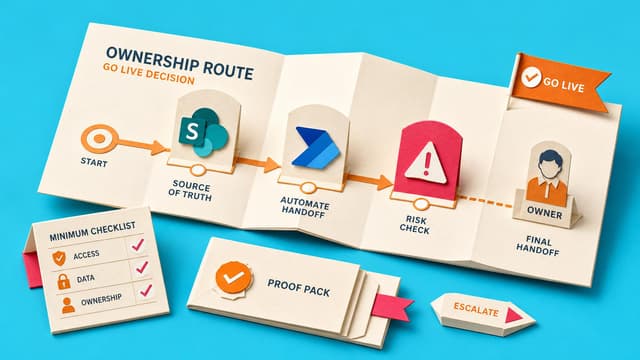
Power Automate makers face a go-live decision when a flow touches real SharePoint lists, mailboxes, or colleagues. The built-in Test Flow pane, Flow Checker, and run history provide useful signals but do not replace a written readiness decision. This content presents a…
Collab365 Team
Briefing·Last Update: 19th Jun 2026
Decide Which Onboarding Steps to Automate First
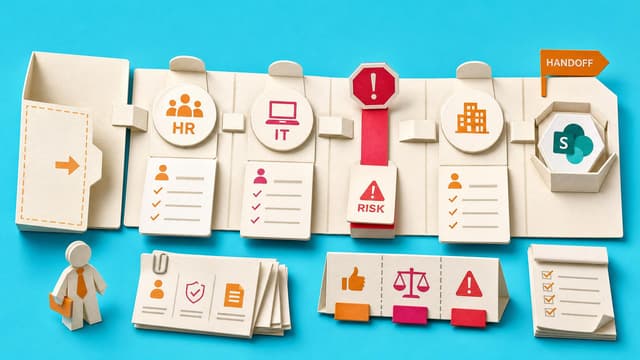
Onboarding checklists span HR, IT, and facilities with different owners and connectors. A scoring model places each step into Automate now, Automate later, Keep manual, or Redesign first. First flows should target stable SharePoint, Teams, Planner, and Outlook actions that have…
Collab365 Team
Briefing·Last Update: 19th Jun 2026
Check Your Approval Rejection Path Before It Breaks
Power Automate rejections may not update the business record. This briefing helps makers decide if the issue is a missing rejection path, notification mismatch, admin-controlled problem, or lack of evidence.

Collab365 Team
Briefing·Last Update: 26th Mar 2026
2026 Update: Case Management Using M365 (Companion Guide)
SharePoint policies retire April 2026, replaced by Microsoft Purview. Azure ACS ends for Entra ID. Use standalone Microsoft Forms for external case intake without guest accounts or file uploads. Enable tenant-wide external sharing first. Copilot automates lists and Power Automate. Teams Files tab now Shared.

Collab365 Team
Briefing·Last Update: 26th Mar 2026
2026 Update: Power Automate Best Practices (Working With Data)

Collab365 Team
Briefing·Last Update: 17th Mar 2026
2026 Update Companion Guide: Improve & Automate Employee Onboarding With The Power Platform