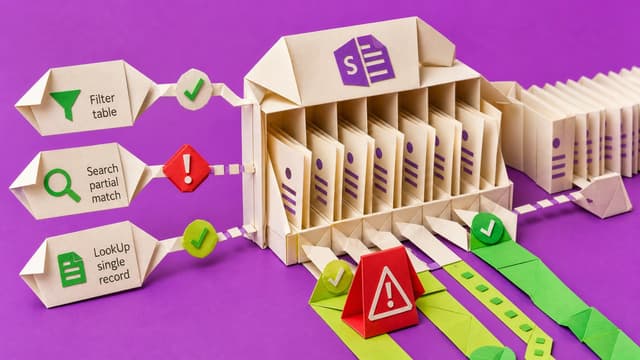
Power Apps search galleries often work on small test sets then fail at scale. Non-delegable formulas against SharePoint only use the local row limit, so records can be missing while the UI still looks fine. Choose Filter, Search, or LookUp by result type and connector support…
Microsoft places Dynamics 365, Power Platform and Dataverse on a single AI at Work roadmap so makers can track upcoming AI work in one place. Features still ship on product timelines; the change is discovery and planning, not delivery.
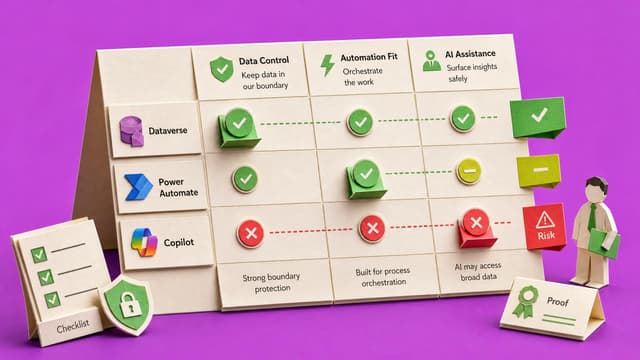
Copilot returns only SharePoint content a user can already open. Widespread oversharing—Everyone grants, broken inheritance, old groups—lets list-backed Power Apps and AI surface sensitive material far faster than manual folder search.
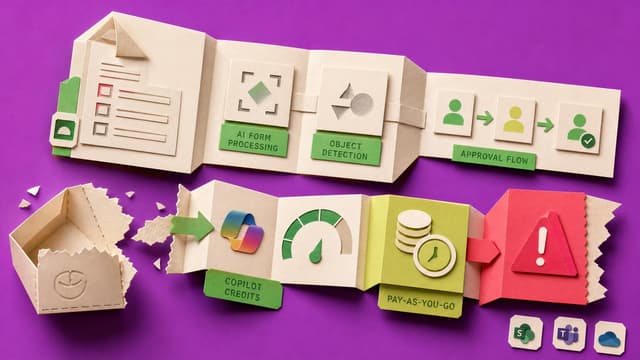
Microsoft removes seeded AI Builder credits from Power Apps licences on 1 November 2026. Form processing and object detection still run but draw Copilot Credits, so quiet pilots can become real monthly cost without an audit.
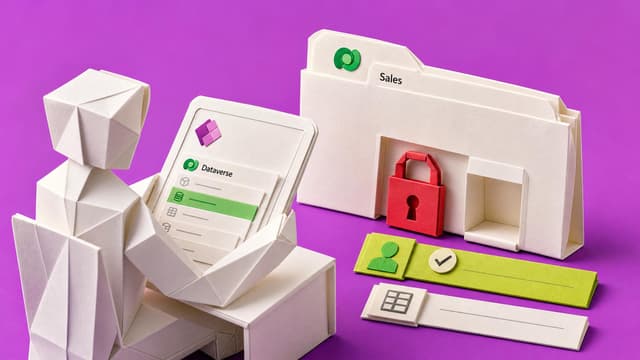
Microsoft Dataverse for Teams has shifted from manual configuration to AI-assisted architecture. This briefing maps 2022 session steps to current tools including Copilot-assisted table creation, the New Designer in Power Automate, and stricter ALM validation during solution…
Canvas app makers cannot independently trace one important Save from screen and command through form or Patch to data source, stable key and read-back evidence without the original AI chat. A bounded ownership record leaves gaps visible for handover.
AI-assisted canvas apps can look complete in the maker’s Studio session while the published Live version, non-maker access, data write-back and dependencies stay unchecked. A bounded pilot check reduces rework and lost trust.
Makers download a canvas Power App, extract readable source, run Microsoft's checker, then use one AI prompt for screens, data layer, writes, and risks. Remaining work is verification plus writing what no AI can know so a colleague can take over.
A canvas app can work for its maker while learners, managers, approvers or admins hit different access, screens or saved data. A short role-based user test on the published version checks real tasks and results before a wider pilot.
Power Apps can open and Dataverse can appear while the active environment still lacks the database, System Customizer rights, licence entitlement or row privileges needed for a first safe write. Environment Maker alone does not enable table creation.
Microsoft deprecates preview Copilot chat in non-Dynamics model-driven Power Apps from January 2026 and steers makers to Microsoft 365 Copilot. The pane stays GA in Dynamics 365. Plain Power Apps tenants should not treat the old chat as durable.
Microsoft retires the standalone Power Automate mobile app on 31 August 2026. Cloud flows keep running, but mobile approvals, push alerts, and home-screen widgets need Teams, browser, or Power Apps paths so managers still see requests.
A Power Apps LMS can show 100% complete without a traceable chain from learner identity and enrolment to course version, completion rule, saved result and first valid completion time. Reviewers need that chain when courses change or learners re-enrol.
Power Apps often stay in a private sandbox after build and test. Solutions move the app and table shape but leave rows and connections behind. This course covers environment setup, packaging, first deploy, data handling, permissions, and updating apps people already use.
Power App makers get a solo pre-share routine: AI reads exported source, ranks screen and save risks, drafts a short test plan, and writes Playwright checks so double-clicks, large lists, and stale data are caught before the link goes out.
Fluent UI v8 hero controls in Teams canvas apps and model-driven custom pages are deprecated. Microsoft documents an upgrade path to Fluent 2 modern controls; some colour and theming settings need a manual check after conversion.
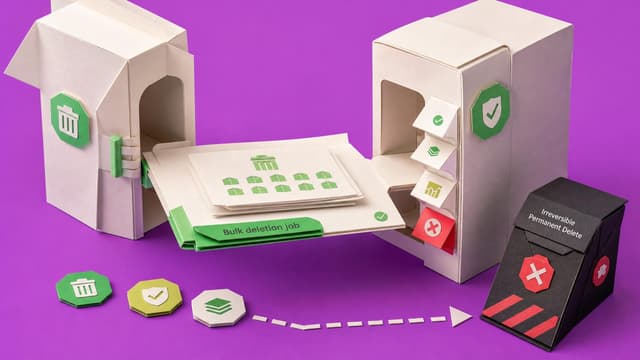
Dataverse bulk deletion job definitions can be added to solutions and moved between environments. Run details surface failures, and permanent deletion remains a one-time irreversible option. Treating cleanup rules as ALM artifacts reduces inconsistent retention across sandboxes…
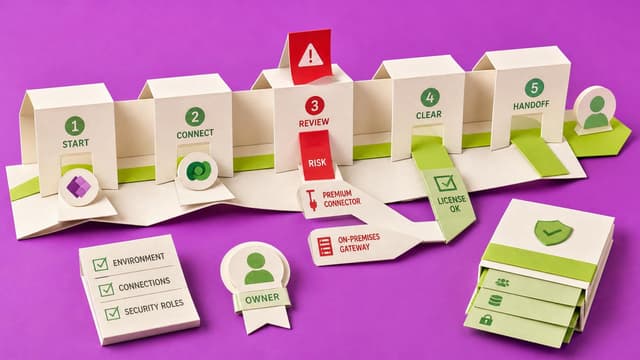
Canvas apps can look standard yet trigger Power Apps premium licensing via connectors, flows, Dataverse, gateways, or Managed Environments. A written risk note—low risk, review needed, or likely premium—helps teams verify users and dependencies before design lock-in.
Members only
0 likes·0 comments
Live 10th Sept 2026
Collab365 Team
Blocker·Last Update: 10th Sept 2026
My Power App suddenly needs Premium licenses for everyone who uses it
Citizen Power Apps builders often ship a working internal app, then learn Dataverse, SQL, premium connectors, or premium flows require Premium licensing for every user, turning a team win into an unplanned budget talk.
Public
0 likes·0 comments
Live 1st Oct 2026
Collab365 Team
Briefing·Last Update: 1st Oct 2026
Check a Power App Layout Before Mobile Users See It
Power Apps canvas layout passes in Studio but may fail on phones. Checklist records target screen, task, phone size, orientation, display settings, scroll behaviour, and defects before limited mobile review.
Members only
1 like·0 comments
Live 1st Oct 2026Course
Collab365 Team
Course·Last Update: 1st Oct 2026
Fix Your Power App Phone Layout with Responsive Containers
Power Apps phone screens break when controls use fixed positions and hard-coded sizes. This course rebuilds one screen with responsive containers, parent-based sizing, and a device acceptance checklist that records tested phones, orientations, and remaining defects.
Public
1 like·0 comments
Live 1st Oct 2026
Collab365 Team
Blocker·Last Update: 1st Oct 2026
My Power App works in Studio, but the phone layout is a mess
Canvas apps display correctly in Studio but break on phones and tablets. Fixed positions and sizing cause clipped controls, awkward stacking, and incomplete-looking screens for real users.