Teams recaps gather recordings, transcripts, AI notes, and suggested tasks, yet actions often stay unchecked and unowned. Coordinators still need a handoff routine that confirms owners, destinations, and due dates before the next review.
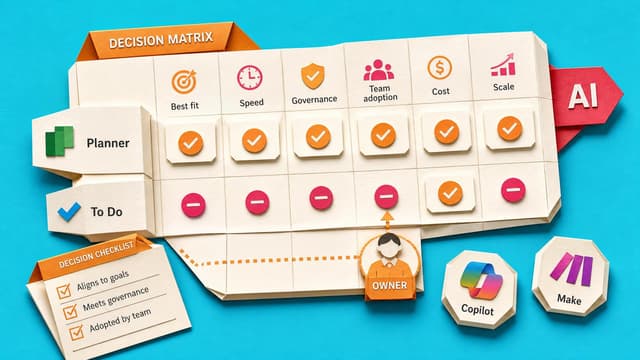
Recurring Teams meetings scatter actions across notes, Planner, To Do, Loop, and chat. Team-owned work belongs in Planner or a shared tracker; personal reminders in To Do. AI recaps and Copilot suggestions stay capture-only until a human sets owner, due date, and review home.
Teams recaps often leave actions unclear. This course walks one meeting from recap to a checked handoff pack: artifacts inventoried, candidate actions sourced, owners confirmed, safe task details routed, and the next review set so follow-up does not stall.
Microsoft removes Publisher from Microsoft 365 on 1 October 2026, ending open and edit access to .pub files. Teams must inventory drives, OneDrive and SharePoint, separate archive from live files, and convert editable layouts before the deadline.
Microsoft is rolling out an optional classic-style setting for Outlook on the web and new Outlook for Windows. It alters visuals, layout, and icons only; classic features and add-ins do not return. A familiar look can ease migration friction but may mislead users expecting the…
SharePoint can show a chosen Quick Step as a column beside list or library items, with optional conditions. That surfaces repeatable next steps once buried in the item menu and can ease routine handoffs when the action is clearly named and owned.
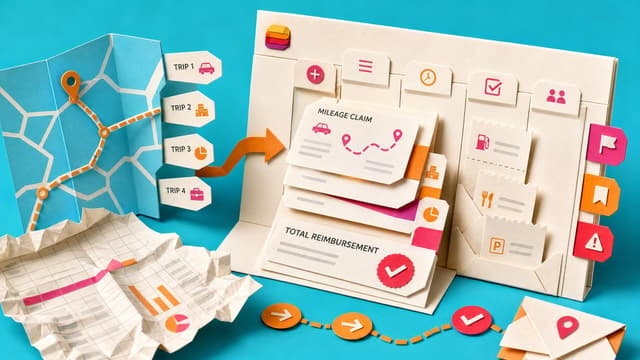
Mileage claims often live in awkward spreadsheets because one trip, multiple trips and receipts need different questions. Forms branching shortens intake while Lists hold submissions and a calculated reimbursement total. Record structure first, then List, then Form.
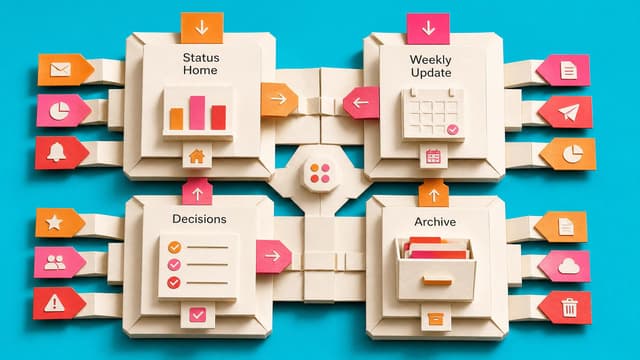
Weekly progress notes become hours of reconstruction when tasks, decisions, promises and meeting actions live across Teams, Planner and email. The missing piece is one agreed status home, not another reporting template.
A shared Microsoft Loop workspace named Weekly Status Hub, or a OneNote fallback, where the team updates a Status Home table and the coordinator prepares a Weekly Update page.
Who builds it? You can follow the guide and complete the setup yourself.
Before you start: Access to the tool, permission to change its setup, and sample data.
Weekly progress notes for managers get rebuilt by hand from Teams threads, Planner cards, email, and meeting recaps. Without one shared status home, coordinators become the integration layer every Friday.
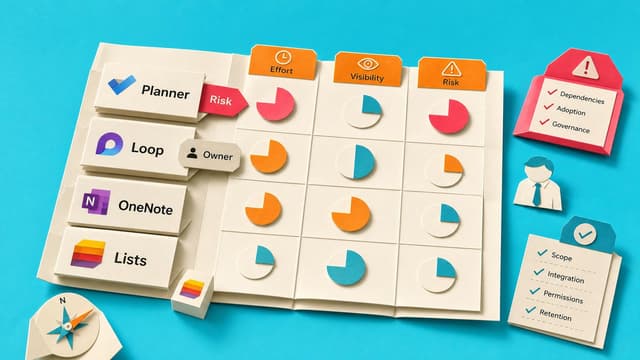
Choose Where Your Team Status Truth Lives: Planner, Loop, or OneNote
Teams assemble Friday status by hunting chats, mail and notes. A status home in Planner, Loop or OneNote holds current progress, risks, decisions and next steps so updates start from one living place instead of archaeology.
Copilot in Outlook, Teams and related Microsoft 365 apps remains gated by licences, admin switches and policy. Shared triage and meeting habits break when colleagues lack the same AI tools.
Chrome or Edge can generate a QR code for a SharePoint page. Frontline staff scan to open stable pages such as onboarding hubs or policies without long links, if permissions and ownership stay current.
Scattered Outlook flags, chat actions and plan boards create duplicate lists and unclear owners. Planner My Tasks can surface personal, assigned and flagged work for one review, while My Day stays a short focus list and shared items keep a single visible owner.
Microsoft Teams guidance says agents in group chats should prefer reactions, threaded replies, and quoted answers over main-channel posts. Shared interaction rules protect scanability before wider agent rollout.
Microsoft Teams can attach a meeting to an existing Planner plan so Facilitator and manual actions land with the project. If no plan is chosen, meetings still create a new plan by default, so setup choice determines whether task sprawl continues.
Outlook retires free Meeting Insights by early September 2026, pointing licensed Copilot users to paid Prepare for this meeting with no free replacement named. Related mail and files stop auto-surfacing in meeting details.
SharePoint works best when business owners run content quality, membership and sharing, while IT keeps tenant security, lifecycle and guardrails. An explicit RACI stops permission bottlenecks and unclear stewardship on Team sites.
Create a One Page Microsoft 365 Team Playbook Your Team Will Follow
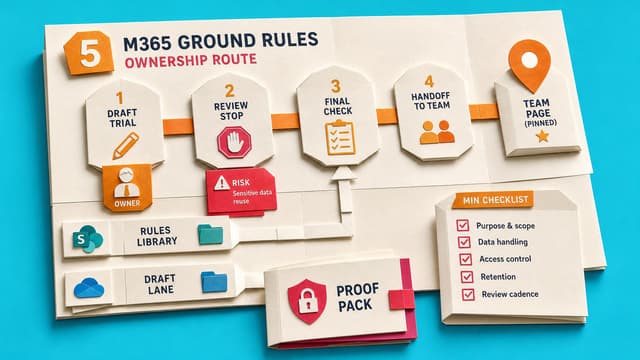
Unofficial Microsoft 365 leads turn repeat questions on email, Teams, files, tasks and meetings into five agreed conventions, a one-page playbook, a no-authority agreement session, rollout message and 30-day check.
Public
1 like·0 comments
Live 8th Sept 2026
Collab365 Team
Briefing·Last Update: 8th Sept 2026
Agree Five Microsoft 365 Ground Rules Before Your Next New Starter Arrives
New starters keep asking where files, chats and tasks belong in Microsoft 365. Five team ground rules—email vs Teams, channels vs chat, OneDrive vs SharePoint, Planner vs To Do, and meeting notes—remove that friction without admin rights.
Members only
1 like·0 comments
Live 8th Sept 2026
Collab365 Team
Blocker·Last Update: 8th Sept 2026
I'm the unofficial Microsoft 365 person, but our team has no playbook
Capable Microsoft 365 workers get informally appointed as the team adoption person when a boss asks or a new starter joins. Without a playbook, template or authority they answer the same questions forever instead of installing shared conventions once.