

Collab365 Team
Blocker·Last Update: 26th Aug 2026
I have Teams recaps but still do not know who owns the actions
Teams recaps gather recordings, transcripts, AI notes, and suggested tasks, yet actions often stay unchecked and unowned. Coordinators still need a handoff routine that confirms owners, destinations, and due dates before the next review.

Collab365 Team
Blocker·Last Update: 18th Aug 2026
My team's weekly progress update takes hours because status is scattered across Teams, Planner, and email
Weekly progress notes for managers get rebuilt by hand from Teams threads, Planner cards, email, and meeting recaps. Without one shared status home, coordinators become the integration layer every Friday.

Collab365 Team
Blocker·Last Update: 11th Aug 2026
My Outlook triage eats the first hour of every day
Microsoft 365 workers often scan Outlook top to bottom each morning because folders, rules, flags, Quick Steps, Sweep, and Focused Inbox never form one trusted routine. Important replies slip, and catch-up shifts to evenings.

Collab365 Team
Blocker·Last Update: 28th Jul 2026
New Outlook changed our shared mailbox and nobody knows who owns each email
New Outlook exposes undocumented shared mailbox triage habits. Teams lose visible ownership, queue state, and reply status, causing duplicate replies and missed requests when Classic Outlook rules no longer hold.

Collab365 Team
Blocker·Last Update: 26th Jul 2026
My Microsoft 365 tasks are everywhere and I do not know what to review
Microsoft 365 captures tasks in email, Teams, Loop, Planner and To Do. Without a routing rule by ownership and visibility, work stays scattered and weekly review fails for coordinators and team leads.
Collab365 Team
Blocker·Last Update: 14th Jul 2026
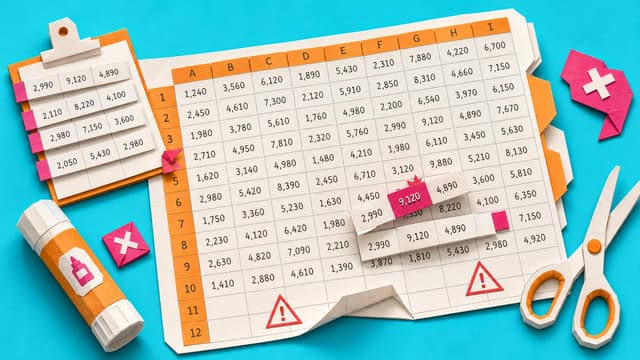
My weekly Excel tracker is updated by copy/paste, and I don't trust the numbers anymore
Microsoft 365 workers maintain weekly trackers by pasting rows, copying formulas, and adjusting filters. Each update raises doubt about whether the numbers still match the real work.

Collab365 Team
Blocker·Last Update: 14th Jun 2026
My Office file comments have become a hidden task list
Assigned comments in Word, Excel, and PowerPoint notify users but remain tied to individual files. Without a review routine, teams must open each document to find open work instead of seeing tasks in To Do or Planner.

Collab365 Team
Blocker·Last Update: 14th Jun 2026
I cannot find the Teams message where the decision was made
Teams conversations often become informal decision records. A decision retrieval workflow helps workers find old context and save future decisions where the team can trust them.

Collab365 Team
Blocker·Last Update: 14th Jun 2026
My Microsoft 365 sharing links keep sending people to Request Access
Microsoft 365 sharing links fail when link scope, file location, and recipient account do not align. A pre-send check prevents Request Access loops.

Collab365 Team
Blocker·Last Update: 14th Jun 2026
My Outlook search cannot find the email I know exists
Outlook search can miss known emails because scope, sync, indexing, folders, and client behavior vary. A search trust workflow helps workers find or explain missing results.

Collab365 Team
Blocker·Last Update: 14th Jun 2026
I do not know which Microsoft 365 app to use for the job in front of me
Microsoft 365 offers multiple apps for the same tasks, leaving non-technical users unsure where to store files, track work, or capture decisions. A decision map that starts with the job and then selects the right tool reduces hesitation and tool sprawl.

Collab365 Team
Blocker·Last Update: 11th Jun 2026
My Teams meetings are back-to-back, so I have no time to do the work
Back-to-back Teams meetings leave no room for focused work. A meeting triage calendar helps workers protect buffers, focus blocks, and async alternatives.