My Copilot in Excel gives me summaries, not useful analysis
A business analyst cannot get useful Copilot analysis from Excel because the workbook context and business question are still trapped in their head. Copilot may be able to summarise, find insights, create PivotTables, or support deeper analysis, but a vague request like "explain the variance" does not tell it which table matters, what the columns mean, which comparison to make, what threshold is important, or what a manager needs to decide. The problem is the missing bridge between spreadsheet knowledge and Copilot instructions.
Blocker Reviewed by Helen Jones
Reviewed by Helen JonesContext
The blocker, in a nutshell
If this blocker is unfamiliar, start here.
Copilot in Excel can help find insights, generate formulas, create PivotTables, summarize data, and support deeper analysis where available. Microsoft guidance also makes the practical boundary clear: users need supported data, specific questions, table or range references, column headers, and human review. The gap for this learner is the missing analysis brief between a messy workbook and a useful Copilot request.
Key Terms
Industry jargon explained
Click any term to see its definition.
The Reality
A day in their life
Business analyst or finance/operations reporter
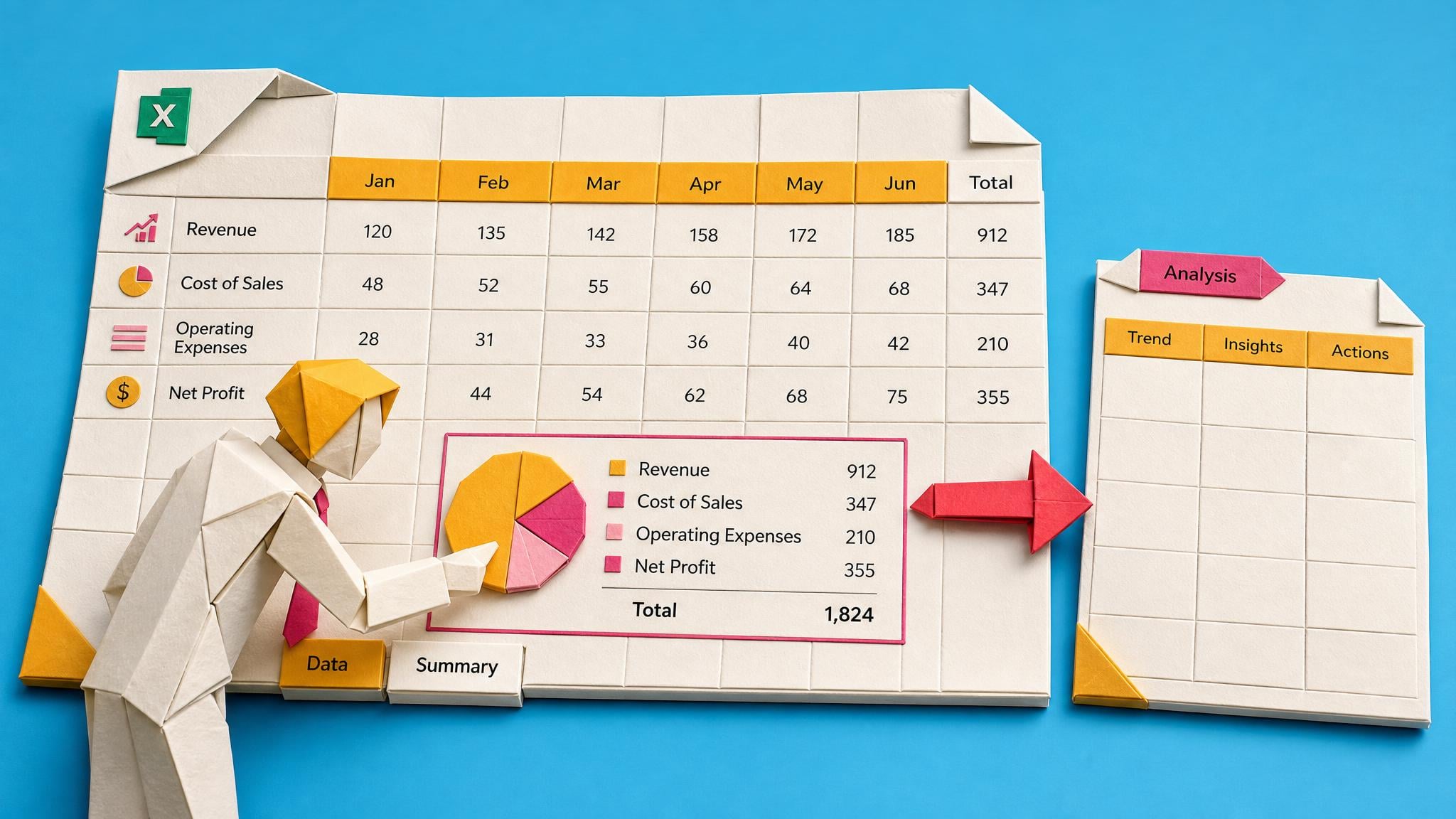
It is 8:42am and the monthly actuals-versus-budget workbook is open. I have one hour before the finance controller asks for the first variance notes. The workbook looks familiar to me: tabs for regions, abbreviated account names, a few one-off project costs, and a filter that should exclude cancelled orders.
I ask Copilot to explain the biggest variances. It returns a clean paragraph about revenue, costs, and trends. The paragraph sounds plausible, but it has not named the accounts the controller cares about. It ignores the region filter. It treats the one-off project cost like normal spend. It gives me a summary, but not the decision-ready analysis I need for the meeting.
I try again with a longer prompt. The output improves slightly, and that is the small win: I can see Copilot reacts better when I give it the table, columns, comparison, and output format. But I am still doing the real work in fragments: explaining which columns matter, what period to compare, what counts as a meaningful variance, and which totals must be checked before anything leaves Excel.
By the third prompt, I have spent the time Copilot was supposed to save. The frustrating part is not that Copilot is useless. It is that the analysis brief lives in my head, while the prompt only asks for an answer. If I send the summary as-is, the controller will still ask which numbers support it.
What I want is a reusable Excel analysis brief I can fill in before I ask Copilot anything: source range, column meanings, comparison period, thresholds, filters, output format, and checks. Then Copilot can draft something I can inspect, not something I have to decode from scratch.
The People
Who experiences this blocker
Business analyst or finance/operations reporter
34 • Experienced Excel user who understands the business but is not a data scientist or Microsoft 365 admin.
Skills
PivotTables
VLOOKUP/XLOOKUP or equivalent lookup work
Monthly close or operational reporting
Basic chart and summary creation
Frustrations
- Copilot restates column headers instead of explaining drivers
- The answer sounds polished but misses the business question
- Each workbook needs the same context rebuilt again
Goals
- Turn raw exports into useful variance commentary faster
- Use Copilot without sending generic filler to a manager
- Create analysis that can be checked against the workbook
Finance Controller
Sets reporting deadlines and questions AI-generated numbers, creating pressure to verify everything manually
Also affected by this blocker. Often shares the same frustrations or creates additional pressure.
Top Objections
- I already tried Copilot and it gave me fluff
- I do not have time to write a long prompt for every workbook
- My finance team will still check everything manually
- The workbook changes every month
- Another generic prompt course will not help
How They Talk
Use These Words
varianceactuals vs budgetdata dumppivot tabletop driverscolumn headersmonthly closeleadership summary
Avoid
prompt engineeringtoken windowsemantic modelRAGLLM orchestration
Learning Pathway
Useful Copilot Analysis In Excel
Turn vague Excel Copilot prompts into specific, checkable analysis requests that name the workbook context, business question, output format, and verification checks.
Showing 2 of 2 recommendations
Course
Start Here
Course Built
◆◆◆◆◆Excellent Fit
Build an Excel Analysis Brief Before Asking Copilot
6 lessonsbeginner
You'll build: Create a one-page Excel analysis brief, use it to ask Copilot for one useful analysis output, and complete a verification checklist before sharing the result.
Includes: Excel Analysis Brief Template · Column Meaning Worksheet · Variance Threshold Checklist · Copilot Output Format Card · Excel Analysis Verification Checklist · Before/After Prompt Examples
Choosing a good Excel Copilot taskSupported tables/ranges and source contextColumn meanings and business rules+4 more
Course candidate
Briefing
Briefing Built
◆◆◆◆◆Excellent Fit
Should I Ask Copilot in Excel for a Summary, PivotTable, Chart, or Exception List?
Before: asking Copilot to analyse the workbook broadly and receiving generic summaries. After: choosing the right output type and giving Copilot the context needed for a checkable first draft.
You'll build: Choose the right output type for one Excel Copilot analysis request and use the briefing prompt frame to make the next request more specific and checkable.
Includes: Output choice decision table · Prompt frame · Before-Copilot checklist · After-Copilot verification checklist
Excel Copilot output choiceSummary versus PivotTable versus chartException-list prompts+2 more
Briefing candidate
Root Cause
Finding where this blocker actually starts
We traced backward through five layers of "why" until we hit the source. Here's what's really driving this.
1
Why is this painful?
The analyst expects help finding the real story in the workbook, but Copilot returns a safe, generic summary that still leaves the hard analysis to the user.
2
Why does Copilot give generic output?
The prompt often names the task but not the analytical intent: the decision, comparison, source range, key columns, thresholds, filters, exclusions, and output format.
3
Why does the user not include those details?
Excel users know the workbook and business context, but most have never been taught to package that context as an analysis brief for Copilot.
4
Why is this worse in messy company workbooks?
Real exports have unclear headers, multiple tabs, inconsistent categories, hidden assumptions, and business rules that are obvious to the analyst but invisible to a generic prompt.
5
What is the deeper mechanism?
Copilot can assist with analysis, but it needs structured input and human review. Without that bridge, it produces plausible starter content rather than decision-ready analysis.
Root Cause
The root cause is not simply poor prompting. It is the absence of a repeatable Excel analysis brief that turns workbook structure, column meaning, business intent, comparison period, threshold, output format, and verification checks into something Copilot can use.

The Numbers
How this stacks up
Key metrics that determine the opportunity value.
Overall Impact Score
73/100
Urgency
6/10
Moderate pressure to solve
Build Difficulty
9/10
Complex, needs deep expertise
Market Size
8/10
Massive addressable market
Competition Gap
7/10
Moderate competition
"Copilot in Excel seems useless. Chat, Teams, Word, PowerPoint, and Outlook Copilot isn't bad, but Excel Copilot seems half baked."
User comparing Copilot performance across Microsoft 365 apps and calling out Excel analysis weakness. Use as qualitative frustration, not current incidence proof. — Reddit r/microsoft_365_copilot, date unknown; contextual user evidence
More Evidence
What others are saying
"I'm not getting value out of any M365 Copilots. They're largely useless. I typically use ChatGPT and copy paste, exponentially better results."
M365 user discussing weak perceived value from Copilot compared with separate AI tools. Use as qualitative frustration, not a rate claim. — Reddit r/microsoft, date unknown; contextual user evidence
"It was supposed to be this miracle timesaver ..."
Company-provided Copilot user questioning whether Excel Copilot provides useful insights. Use as qualitative pain language only. — Reddit r/excel, date unknown; contextual user evidence
"Microsoft 365 Copilot in Excel is helpful for analyzing data and generating formulas, but it does have some limitations."
Community discussion about limits in Excel workflows. Use as contextual community discussion, not official Microsoft product evidence. — Microsoft Tech Community, Apr 2, 2026
The Landscape
What solutions exist today?
Current market solutions and where there are opportunities.
Leader
C
Copilot in Excel insights
Approach: Can analyse data and show insights as charts, PivotTables, summaries, trends, or outliers.
Pricing: Requires eligible Microsoft 365 business subscription and Microsoft 365 Copilot add-on for this documented feature
Weakness: Useful when the user asks a specific question, but generic prompts still produce generic analysis.
Leader
C
Copilot in Excel FAQ and prompt guidance
Approach: Explains requirements and encourages supported data formats, prompt guide tips, table/range references, column headers, and review of generated output.
Pricing: Included in eligible Copilot experiences
Weakness: Helpful documentation, but it does not turn a messy monthly report into a reusable business analysis brief.
Leader
T
Text-based insights in Excel
Approach: Helps summarize text data, identify themes/sentiment, and review referenced context for analysis.
Pricing: Plan and tenant dependent; verify current licence and rollout status before course creation
Weakness: Still depends on the user asking a specific question and understanding whether the result answers the business need.
Niche
G
Generic Copilot or Excel courses
Approach: Teach feature usage and example prompts for Copilot in Excel.
Pricing: Low-cost course pricing varies
Weakness: Often teach button-level usage without the company-specific analysis brief, source checks, and stakeholder output requirements.
The Gap
Why existing solutions keep failing
The pattern they all miss — and how to beat it.
Common Failure Mode
Feature walkthroughs teach where the Copilot button is. They do not teach the analyst how to turn a workbook into a business analysis brief that gives Copilot enough context to produce something useful.
How to Beat Them
Teach the user to build a short Excel analysis brief before prompting: goal, source range, column meanings, comparison, threshold, output format, and verification checks. Then use Copilot to draft analysis, not to guess the business question.
The Fix
What a solution needs to succeed
The non-negotiables and nice-to-haves for any product or service tackling this blocker.
The 3 Wishes
Give the learner a repeatable way to turn workbook context into a specific Copilot request, then verify the output before sending it.
Must Have
Excel analysis brief template
Column-meaning worksheet
Comparison and threshold checklist
Output-format decision card
Verification checklist for source range, filters, totals, and exceptions
Worked before/after example using one workbook
Nice to Have
Sample monthly variance workbook
Prompt examples for narrative summary, PivotTable, chart, and exception list
Manager review rubric
Team handoff version for standardising repeated analysis
Out of Scope
Guaranteeing Copilot accuracy
Replacing finance/controller review
Admin configuration, Purview setup, or tenant licensing changes
Python-based advanced analytics unless explicitly added as a later module
Claims of universal time savings or ROI
Success Metrics
Learner completes a one-page analysis brief for a real or sample workbook
Learner produces one Copilot output that references the correct source area, columns, comparison, and requested format
Learner marks which parts are source-backed, which need manual review, and which are still uncertain
Learner can reuse the brief structure on a second workbook without starting from a blank prompt
Solution Strategy
Which approach fits you?
A prompt list may improve a single request, but it does not teach the learner how to package workbook context. A course with templates fits because the learner needs a reusable briefing and review habit.
What we recommend
Lead with an applied course that teaches the learner to build an Excel analysis brief before asking Copilot for insights.
The Future
What might make this blocker obsolete
Technologies and trends that could disrupt this space. Factor these into your timing.
medium probability
12-18 months
Microsoft improves built-in AI insights
If Microsoft expands native Excel analysis to handle richer custom questions across more workbook structures, the manual analysis-brief burden may shrink for standard cases. Users will still need to define the business question, thresholds, and review boundary.
SaaS: Medium risk
Course: Medium risk
Consulting: Low risk
Content: Opportunity
medium probability
18-24 months
Copilot gains better file context
If Copilot reads workbook structure, named ranges, and metadata more reliably, users may need less manual context mapping. The course should focus on durable business-question and verification habits rather than only current UI steps.
SaaS: Medium risk
Course: Medium risk
Consulting: Low risk
Content: Opportunity
medium probability
12-24 months
Companies add AI output verification layers
Finance and operations teams may require AI-generated analysis to include source references and review notes before use. That reinforces the value of a verification checklist and analysis brief.
SaaS: Opportunity
Course: Opportunity
Consulting: Opportunity
Content: Opportunity
For Creators
Content Ideas
Marketing hooks, SEO keywords, and buying triggers to help you create content around this blocker.
Buying Triggers
Events that make people search for solutions
- A monthly close deadline moves up and the analyst needs faster variance commentary
- A manager asks why Copilot licences are not saving time in Excel
- A copied prompt from another workbook gives generic output on this workbook
- A team wants repeatable Excel Copilot use without relying on one power user
Content Angles
Attention-grabbing hooks for your content
- Why Copilot in Excel gives generic answers when your question is too vague
- The missing analysis brief behind useful Excel Copilot output
- Stop asking Excel Copilot to find insights without naming the business question
- How to get Copilot past column-header summaries in real spreadsheets
Search Keywords
What people type when looking for solutions
Copilot Excel uselessExcel Copilot not helpfulCopilot in Excel generic outputM365 Copilot data analysis disappointingwhy doesn't Copilot understand my spreadsheetCopilot Excel analysis briefCopilot Excel variance analysis prompt
The Evidence
Where this came from
Every claim in this report is backed by public sources. Verify anything.
1.2.3.4.5.
Get insights about numerical data with Copilot in Excel
support.microsoft.com
Frequently asked questions about Copilot in Excel
support.microsoft.com
Get insights from text-based data with Copilot in Excel
support.microsoft.com
Microsoft Tech Community: limitations of Microsoft 365 Copilot for Excel workflows
techcommunity.microsoft.com
Reddit: Excel Copilot user frustration discussion
reddit.com
9 sources referenced
Source note
Blocker published by Collab365 Spaces, reviewed by Helen Jones on . Cite as "My Copilot in Excel gives me summaries, not useful analysis", Collab365 Spaces. 9 sources referenced.
Have a question or correction?
No comments yet