Excel flags changes made by its Copilot AI
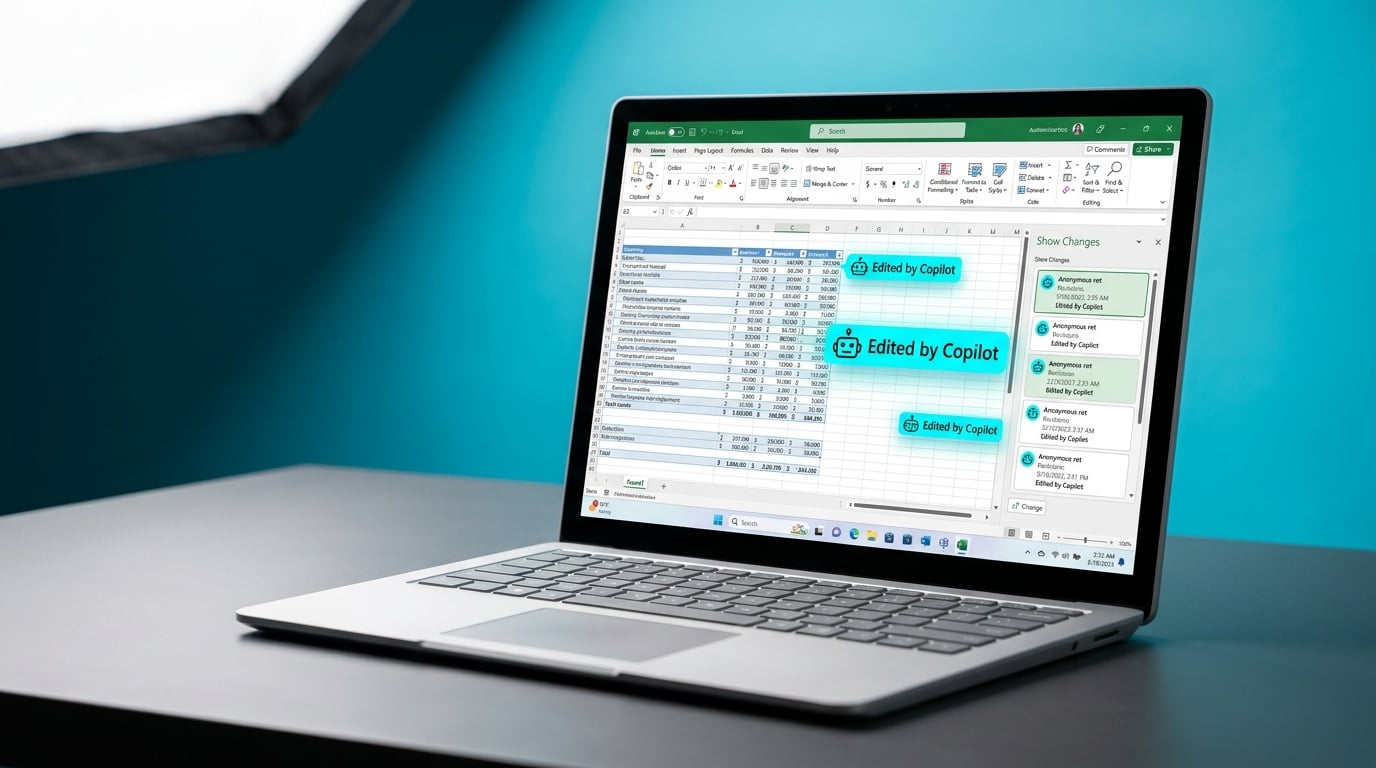
Microsoft has added visibility to Copilot edits in Excel. AI-generated changes now appear in the Show Changes pane with a specific attribution icon and label identifying them as from Copilot. The feature rolled out immediately for Excel on the web. Desktop and other versions will follow soon. It helps users review and verify AI contributions amid growing use in shared files. This builds on Copilot's expansion across Microsoft 365 apps.
Teams long treated Excel files as shared ledgers for projects and tasks, but Copilot edits previously merged anonymously into change histories. Spotting AI errors meant combing through every revision, breeding hesitation to use the tool in collaborative work. Attributed changes now surface clearly for quick audits, letting intermediate users delegate routine data tasks to AI without risking unnoticed mistakes. In workflows buried under manual spreadsheet tweaks, this cuts verification time and eases the shift from solo firefighting to trusted automation.
Analysis
Copilot skeptics, this strips away the black-box excuse that's kept you chained to manual Excel sorts amid task chaos. Pick one recurring spreadsheet chore like project data cleanup today, prompt Copilot in a shared file, inspect the Show Changes pane, and lock in any time savers as your new default.
Source note
Pulse published by Collab365 Spaces. Cite as "Excel flags changes made by its Copilot AI", Collab365 Spaces. 1 source referenced.