Collab365 Team
Briefing·Last Update: 7th Sept 2026
Compare Copilot Chat and Microsoft 365 Copilot Before Using Work Data
Microsoft 365 users often cannot tell whether the Copilot on screen can access files, email, meetings, chats, or SharePoint. Labels, grounding mode, licence, and permissions decide work-data access; web-only or upload-only modes need different handling before real content is…
Collab365 Team
Briefing·Last Update: 25th Aug 2026
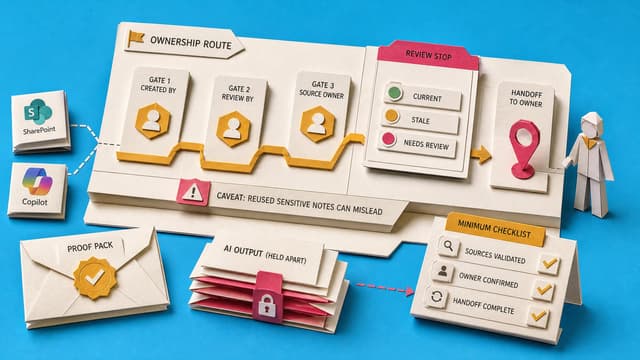
Decide Where SharePoint Source-of-Truth Notes Should Live
Copilot can cite stale SharePoint policies when no source-of-truth note marks the current file, owner, replacement, and review date. Stable status signals belong in SharePoint metadata people can filter; unreviewed AI output stays separate until a named owner approves. Access is…
Collab365 Team
Briefing·Last Update: 17th Aug 2026
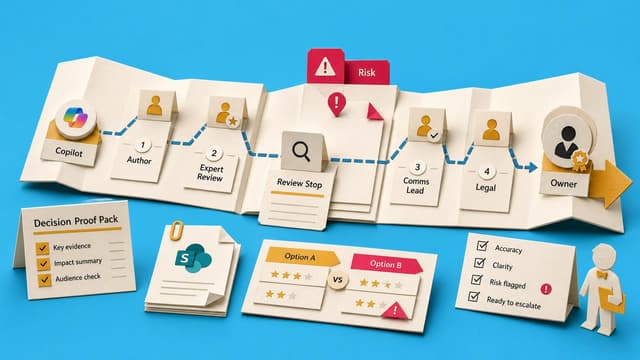
What a Copilot Draft Can and Cannot Prove
Microsoft 365 Copilot users get usable drafts in Outlook, Word, and Teams, but a draft only proves a possible message version. It does not prove truth, completeness, or send-readiness. Grounding, citations, labels, and tone controls each help differently; none replace owner…

Collab365 Team
Briefing·Last Update: 5th Aug 2026
Create a PowerPoint from One Work File—and Check It Before You Present
Copilot can draft slides from one approved work file, but finished-looking decks still miss the point. The reliable path is one source, outline control, then human checks of every important claim before presenting.
Collab365 Team
Briefing·Last Update: 5th Aug 2026
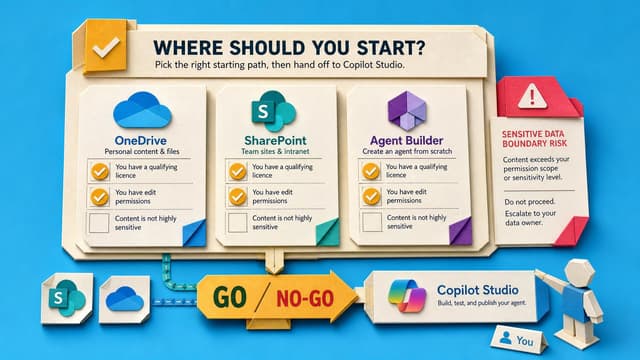
SharePoint and OneDrive agents in 2026: what to build and what to check first
SharePoint and OneDrive agents answer repeated questions from files users already can access. A decision table covers OneDrive, SharePoint, Agent Builder and Copilot Studio. Five yes-checks and a worked example show what to validate before building.
Collab365 Team
Briefing·Last Update: 5th Aug 2026
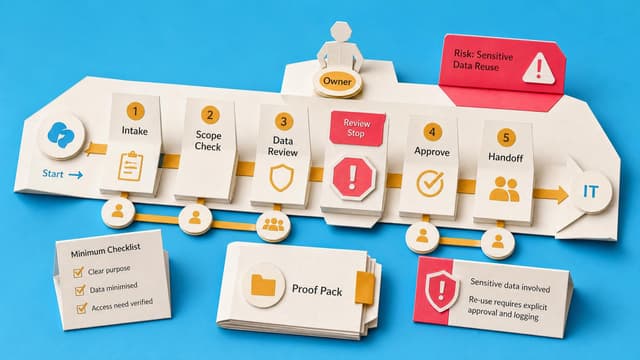
I've Been Asked to Explore an HR Copilot Agent. What Do I Need to Decide Before Involving IT?
HR Copilot agent work must be classified as find information, take action, or make judgement before IT is involved. Classification sets data access, permissions, ownership, refusal rules, and pilot stop conditions. Bounded proposals name sources, sensitive data risks, and human…
Collab365 Team
Briefing·Last Update: 5th Aug 2026
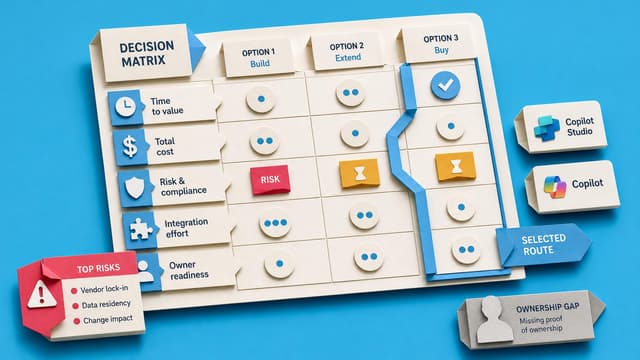
2026 Update: Build an HR Copilot Agent Companion Guide
Microsoft Copilot Studio moved from manual topics and external ALM to generative orchestration, embedded solutions, tools, and Copilot Credits by 2026. This companion translates the 2024 HR agent demos into current enterprise build practices.
Collab365 Team
Briefing·Last Update: 27th Jul 2026
Should I Ask Copilot in Excel for a Summary, PivotTable, Chart, or Exception List?
Analysts who ask Copilot in Excel to explain variance often receive fluent paragraphs that miss the business question. This briefing shows how to pick the output first—summary, PivotTable, chart, or exception list—then brief Copilot with the required fields, rules, and format.
Collab365 Team
Briefing·Last Update: 13th Jul 2026
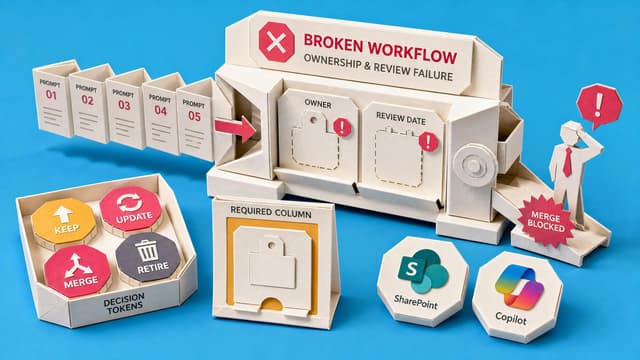
Set Rules for a Team Copilot Prompt Library
Team leads and knowledge managers need clear rules for shared Copilot prompt collections. Without ownership, review dates, tested examples, and retirement criteria, libraries become stale and untrusted. The guidance covers minimum metadata fields, storage options, and a simple…
Collab365 Team
Briefing·Last Update: 1st Jul 2026
Copilot Output Standards vs Prompts: Decision Guide for Teams
Teams using Microsoft 365 Copilot for weekly updates, meeting recaps, and reports face inconsistent drafts. The guide maps failure patterns to fixes: prompt quality, output standards, source access, or review rubrics. Managers first define what a good draft must contain before…
Collab365 Team
Briefing·Last Update: 22nd Jun 2026
You Do Not Need Trainer Credentials to Help People Learn Copilot
Microsoft 365 power users and adoption champions are often asked to teach Copilot without formal training credentials. This briefing shows how to run a focused 25-minute practice session around one familiar workflow using safe source material, plain-language goals, and a single…
Collab365 Team
Briefing·Last Update: 16th Jun 2026
What Counts as Enough Evidence to Trust a Copilot-Assisted Excel Total?
Analysts face Copilot-assisted Excel totals with deadlines. Five checks tie numbers to workbook logic: Copilot output, native recalculation, source range, filter review, and control totals. Minimum evidence scales by audience risk.
Collab365 Team
Briefing·Last Update: 16th Jun 2026
The Copilot Demo Recovery Script Bank
Microsoft 365 Copilot demos can stall, give generic answers, or pull the wrong file. This briefing supplies pre-written recovery lines and three fallback modes so a presenter can move the room back to the business question without defending the model.
Collab365 Team
Briefing·Last Update: 16th Jun 2026
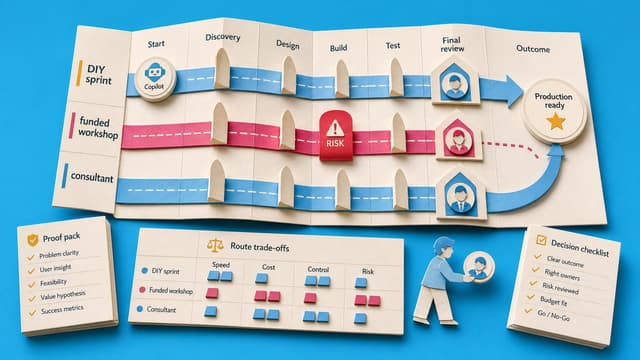
Decide Between a DIY Sprint, Funded Workshop, or Consultant for Copilot Adoption
Many Copilot rollouts stall after initial webinars and PDFs. This research compares three restart routes—DIY sprint, funded workshop, and paid consultant—based on licence thresholds, budget, and internal capacity.
Collab365 Team
Briefing·Last Update: 16th Jun 2026
SharePoint Agent, Power Automate, or Copilot Studio: Which Fits a Daily Teams Summary?
Microsoft 365 teams need a daily post showing SharePoint changes. Power Automate handles scheduled workflows that read lists, detect changes, format messages, and post to channels. SharePoint agents suit interactive Q&A. Copilot Studio supports richer agents but posts to…