Power BI Refresh Failure Triage Tracker
A manual-first tracker for logging failed Power BI scheduled refreshes, capturing evidence, assigning the next owner, retesting, and exporting a clear handover.
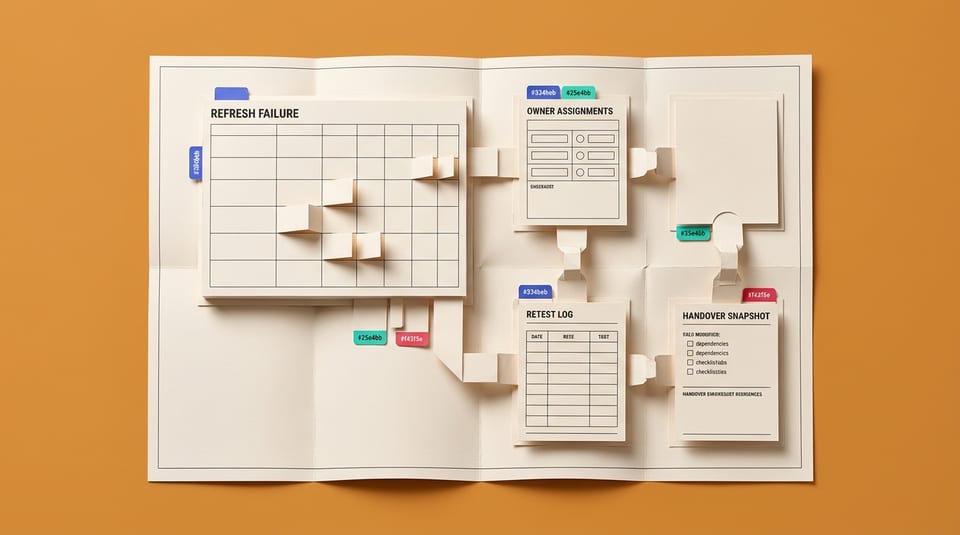
How does this Blueprint help you? A small internal web app for Power BI report owners that turns a failed scheduled refresh into a structured incident record. The app stores manually entered report dependencies, refresh-history evidence, checklist results, owner assignments, retest entries, and a point-in-time handover export.
Why this exists
Microsoft documentation tells users which areas to inspect, but it does not give this avatar a shared, report-specific place to preserve dependencies, evidence, owners, uncertainty, and retest results. V1 packages that manual triage process without forcing API access, tenant monitoring, or migration away from current reports.
Who will use it
Excel-strong business analysts, reporting leads, finance/ops analysts, department power users, and accidental BI owners at 50-2,000 person companies. They maintain Power BI reports and semantic models but are not tenant admins, gateway admins, BI architects, or full-time Power Platform developers.
Blocker it removes
When scheduled refresh fails, the user has to check Power BI refresh history, semantic model settings, gateway/cloud connection status, data source credentials, source paths, Power BI Desktop refresh behaviour, and stakeholder deadlines in separate places. The failure record rarely becomes a reusable handover.
V1 proof
With one sample report and one failed scheduled-refresh incident, the app can show completed dependency fields, checklist results, a likely failure category, an assigned next step, retest status, and an exportable handover snapshot.
How this Blueprint becomes a working result.
A Blueprint is the plan for creating a named result. A Course teaches; a Briefing helps you decide.
This is a software build specification, not a finished or deployed application.
Hands-on platform or code work. AI still guides every step, and you review and test the result.
You remain responsible for the result. You direct an AI coding tool, then review the scope, access, test result, and release.
AI is the guide, not the builder. AI can draft code and tests. It cannot choose production architecture, use secrets, or deploy without human review.
Stuck on a question? Just ask. If anything in the guided session is unclear, tell the AI. It explains, gives examples, and helps you answer before moving on.
Before you begin
A coding workspace, hosting and data decisions, test data, and a defined technical review checklist. Get a builder estimate before you approve or commit to the work.
Start safely
Start locally or in an isolated preview with seeded test data before connecting live systems.
New to agentic AI tools?
A Blueprint runs inside an agentic AI tool such as Claude Cowork or Codex, where the AI reads the whole Blueprint and works through it with you. If you have never used one, our free plain-English guide gets you comfortable first.
Read the AI for Work guideMember access
Ready to put this Blueprint to work?
You can review the result, audience, proof, responsibilities, and safe starting boundary here. Unlock Microsoft 365 Report Builders to use the complete Blueprint.
The technical build sections and copyable implementation packet remain protected until access is unlocked.