Build an Intranet Content Ownership Board
Give every priority intranet page a named owner, a review date, and a visible next action.
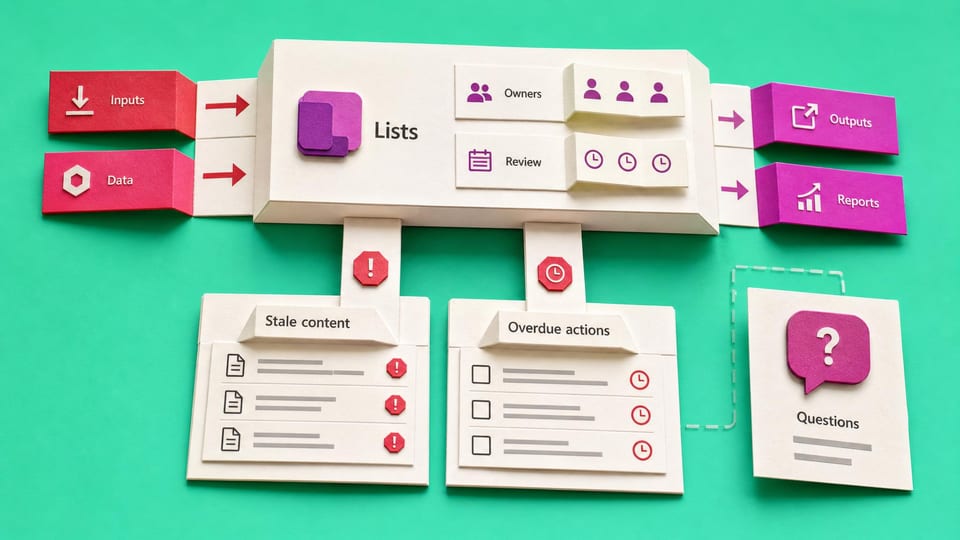
How does this Blueprint help you? A Microsoft Lists page ownership board with five useful views, an Employee Questions Form and List, a Decision Log List, a due-review reminder flow, a question intake flow, and a weekly admin digest.
Why this exists
Important pages decay when ownership, review dates, employee questions, and decisions sit in separate emails, chats, and spreadsheets. This build gives the team one visible maintenance queue.
Who will use it
SharePoint and Microsoft 365 admins in small teams who need a practical way to coordinate business page owners after an intranet launch.
Blocker it removes
The intranet launched, but nobody keeps it useful. Pages become stale, employee questions repeat, ownership is unclear, and IT gets blamed for content it does not own.
V1 proof
The V1 works when five sample or approved page rows can be reviewed through the saved views, one due reminder is delivered and logged, one Form response creates a question row and alerts the admin, one weekly digest reaches a standard Teams channel or email, and an archive candidate cannot progress without a named human decision.
How this Blueprint becomes a working result.
A Blueprint is the plan for creating a named result. A Course teaches; a Briefing helps you decide.
This is a platform build plan, not a finished or downloadable application.
You know your way around the tools you use at work. AI coaches you through anything new.
You remain responsible for the result. You create and test every screen, list, permission, and flow, with AI coaching you through the work.
AI is the guide, not the builder. AI can explain steps and draft formulas. It cannot access or change your tenant, data, permissions, or sharing settings.
Stuck on a question? Just ask. If anything in the guided session is unclear, tell the AI. It explains, gives examples, and helps you answer before moving on.
Before you begin
A platform licence, maker permission, an approved test location, and sample data. Get a builder estimate before you approve or commit to the work.
Start safely
Build privately with fictional data. Get approval before live data, wider sharing, publishing, or rollout.
New to agentic AI tools?
A Blueprint runs inside an agentic AI tool such as Claude Cowork or Codex, where the AI reads the whole Blueprint and works through it with you. If you have never used one, our free plain-English guide gets you comfortable first.
Read the AI for Work guideMember access
Ready to put this Blueprint to work?
You can review the result, audience, proof, responsibilities, and safe starting boundary here. Unlock SharePoint & Teams Admins to use the complete Blueprint.
The technical build sections and copyable implementation packet remain protected until access is unlocked.