I can't tell which Copilot I have or what it can use
A Microsoft 365 user cannot confidently use Copilot with company information because the Copilot name covers multiple products, labels, modes, and app surfaces with different access rules. The practical problem is turning what the user sees on screen into a plain, non-admin capability check before they put work data into an AI task.
Blocker Reviewed by Helen Jones
Reviewed by Helen JonesContext
The blocker, in a nutshell
If this blocker is unfamiliar, start here.
Microsoft uses the Copilot name across several business and consumer experiences. In Microsoft 365, the key practical question is whether the current Copilot experience can use work data such as files, emails, chats, meetings, and sites, or whether it is limited to web data, uploaded content, or another app surface. For non-admin users, the hard part is translating labels, modes, and app surfaces into a safe task decision.
Key Terms
Industry jargon explained
Click any term to see its definition.
The Reality
A day in their life
Operations or project coordinator using Microsoft 365 at a mid-sized company
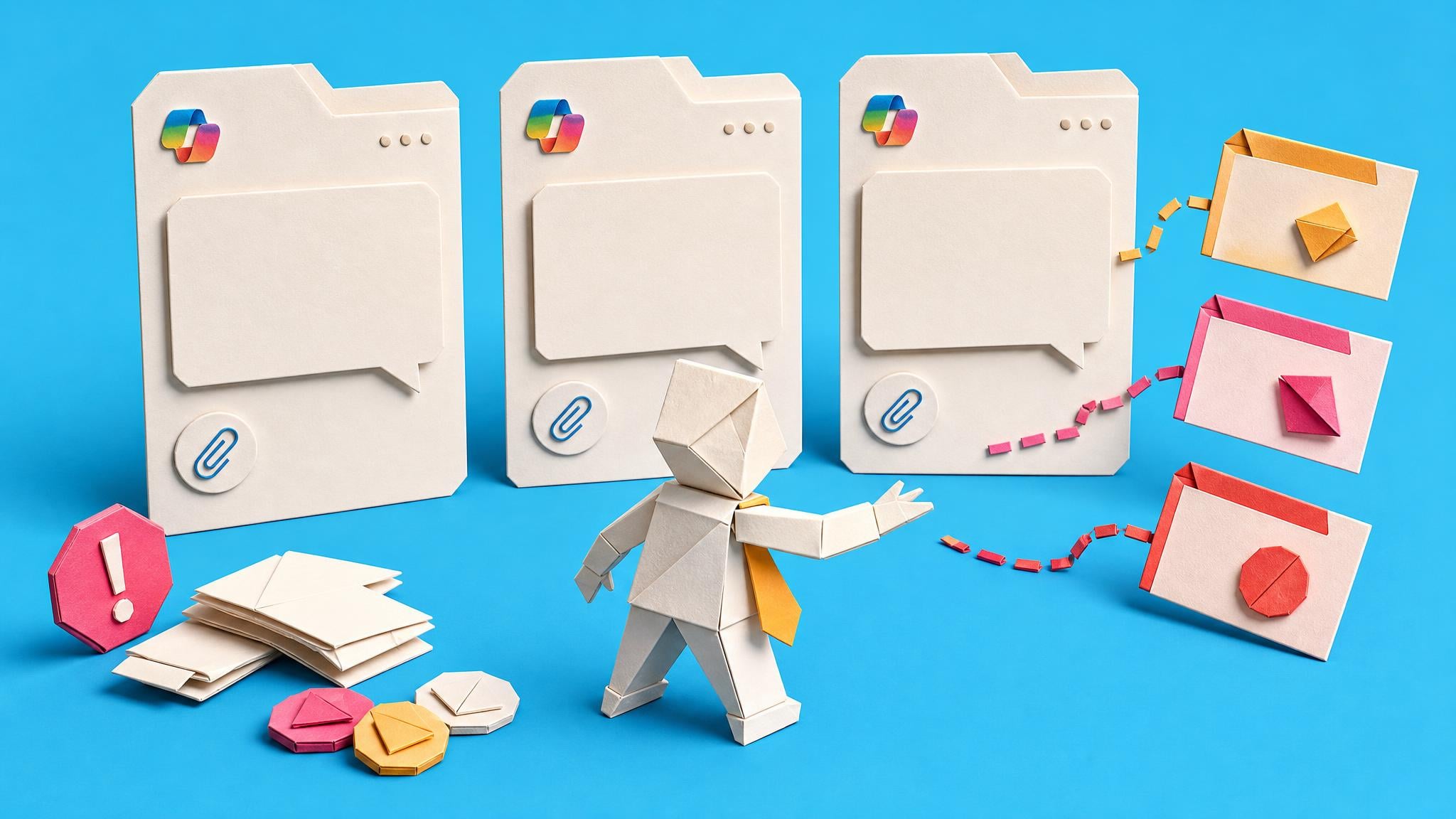
I start the day in Teams and notice the Copilot icon again. A colleague says Copilot can help with files and meeting notes, but I cannot tell whether the one on my screen can actually use our work content or whether it is only answering from the web. I try to read the label under my name, then wonder if the same label means the same thing in the browser, Teams, and the Microsoft 365 app.
Later, I open a document and want help rewriting a section using a project file and a recent meeting note. The answer I get is not obviously wrong, but I cannot tell whether Copilot found the work context or simply gave a generic answer. That is the awkward part: a poor answer could mean bad prompting, missing permissions, the wrong mode, the wrong app surface, or the wrong licence.
There is a small win. I can see enough labels and switches to realise the answer is probably discoverable. I just do not have a simple way to turn what I see on screen into a safe decision: use this Copilot, use a different surface, upload a non-sensitive file, or ask IT before going further.
By the end of the day, I am not asking for a deep licensing lecture. I want a plain checklist that tells me which Copilot I am using, what it can use, what it cannot use, and what remains unknown without IT confirmation. Then I could use approved AI tools without guessing around company data.
The People
Who experiences this blocker
Operations or project coordinator using Microsoft 365 at a mid-sized company
32-45 • 5-12 years coordinating work across Microsoft 365 tools without being an IT admin.
Skills
Daily Teams and Outlook use
Word and Excel document work
SharePoint or OneDrive file navigation
Project coordination and status reporting
Frustrations
- The Copilot icon appears in different places with different behaviour
- They cannot tell whether a poor answer means bad prompting, missing licence, missing permission, wrong mode, or wrong app
- Microsoft support pages explain product mechanics but not their exact work situation
Goals
- Know which Copilot experience they have before using company data
- Use approved AI tools without guessing what files or messages they can access
- Explain the difference to teammates in plain English
Microsoft 365 admin or team lead
Receives repeated questions about what Copilot can access and needs a plain way to explain capability without turning every question into a licensing support ticket.
Also affected by this blocker. Often shares the same frustrations or creates additional pressure.
Top Objections
- I do not have admin access, so do not make me check the admin center
- I do not want another technical explanation full of licence codes
- I need to know what is safe before I paste, upload, or reference anything
- If this is not specific to what I see on screen, my team will ignore it
How They Talk
Use These Words
which Copilot do I havecan it see my filesdoes this use our emailswork modeweb modeis this safe for company dataask IT
Avoid
SKUprovisioningtenant configurationGraph groundingRAGentitlements
Learning Pathway
Copilot Access Confidence
Know what your Copilot can use before you put work data into it.
Showing 3 of 3 recommendations
Course
◆◆◆◆◆Excellent Fit
Check What Your Copilot Can Use Before Sharing Work Files
5 lessons75 minbeginner
You'll build: Produce a one-page Copilot capability note for their own account, including label, mode or surface, tested task, data-access result, and whether work files can be referenced safely or require IT confirmation.
Includes: Copilot label checklist · Work/web mode explainer · Safe test worksheet · Capability note template · Ask IT escalation script
Copilot label identificationWork mode and web modeSafe non-sensitive testing+2 more
Briefing
Briefing Built
◆◆◆◆◆Excellent Fit
Compare Copilot Chat and Microsoft 365 Copilot Before Using Work Data
You'll build: Produce a one-page decision record that says which Copilot surface the reader is using, what data it can use, which tasks are safe, which tasks are blocked, and which cases must be checked with IT.
Includes: Copilot label and mode comparison table · Work/web/uploaded-file decision checklist · Safe, blocked, and ask-IT task examples · One-page capability note template
Copilot labels and modesWork grounding versus web groundingPermissions and tenant configuration boundaries+2 more
Blueprint
◆◆◆◇◇Fair Fit
Build a Copilot Capability Checker for Microsoft 365 Users
You'll build: Produce a build-ready MVP specification with wizard screens, rule data model, seeded Copilot labels, result states, and acceptance tests.
Build brief: Build with code · AI coding handoff
Copilot label rulesTask-category decision logicUser-visible diagnostics+2 more
Root Cause
Finding where this blocker actually starts
We traced backward through five layers of "why" until we hit the source. Here's what's really driving this.
1
Why is this painful?
The user sees Copilot in familiar Microsoft 365 places but cannot predict whether the current surface can use company files, emails, meetings, chats, sites, uploaded files, or only web data.
2
Why can’t they predict what it can use?
Copilot Chat, Microsoft 365 Copilot, Basic and Premium labels, web mode, work grounding, app sidebars, and tenant settings can create different behaviour behind similar-looking Copilot entry points.
3
Why does the user not know which case applies?
The visible label or mode is easy to miss, and the explanation usually lives in support pages, licensing docs, admin tooling, or rollout notes rather than in the task moment.
4
Why can’t the user just check the admin system?
Most affected users are not Microsoft 365 admins, and licence assignment alone still needs translation into a plain task-level answer for their screen and company policy.
5
Why does this keep recurring?
Microsoft keeps expanding and changing Copilot surfaces, labels, agents, and access patterns faster than many mid-sized companies can turn them into simple user guidance.
Root Cause
The root cause is product, naming, licence, mode, and tenant ambiguity at the point of use. The user is trying to make a data-safety and task-fit decision from labels that were designed around product tiers and app experiences, not around the work question they are trying to answer.

The Numbers
How this stacks up
Editorial assessments based on the available evidence. Scores do not establish demand, purchases or measured financial impact.
Overall Impact Score
72/100
Urgency
7/10
Moderate pressure to solve
Build Difficulty
8/10
Complex, needs deep expertise
Market Size
7/10
Moderate estimated reach
Competition Gap
7/10
Moderate assessed gap
"The actual count? 78 separately named products, features, and services - all called 'Copilot'."
Independent AI strategy/design commentary mapping Microsoft Copilot naming sprawl from Microsoft documentation, marketing pages, and launch announcements. — Tey Bannerman, LinkedIn, Apr 2026
More Evidence
What others are saying
"This is remarkable, I did not realize all of these were separate products!"
Professional comment reacting to the Copilot product map, showing that even experienced business users can be surprised by the number of Copilot-branded products. — Jamil Eldar, LinkedIn comment, Apr 2026
"The best I have been able to tell is 365 has “more”."
User asking what exactly differs between Copilot and Copilot 365, showing current version confusion. — Reddit / r/Copilot, May 13, 2026
"I think there are maybe five different iterations of Copilot and they don’t all play well (or at all)."
User describing confusion across Copilot app, Edge, Microsoft 365 app, and other Copilot experiences. — Reddit / r/Copilot, May 13, 2026
"People think they have a paid license when they don't and it gives the impression they can do functions only the paid license can."
Discussion of Copilot Chat changes in Office apps and why similar surfaces create licence confusion. — Reddit / r/microsoft_365_copilot, Apr 2, 2026
The Landscape
What solutions exist today?
Current market solutions and where there are opportunities.
Leader
C
Copilot in-product labels and Microsoft Support pages
Approach: Microsoft shows labels such as Copilot Chat (Basic), M365 Copilot (Basic), and M365 Copilot (Premium), and publishes support pages explaining how Copilot Chat works with and without a Microsoft 365 Copilot licence.
Pricing: Included or paid access depends on Microsoft 365 plan, add-on licence, region, admin configuration, and current Microsoft terms.
Weakness: Useful mechanism information, but the user still has to find the label, understand the mode, and translate it into what they can safely do with a specific file, email, meeting, or chat.
Leader
M
Microsoft Learn Copilot comparison docs
Approach: Official comparison pages explain Copilot Chat, Microsoft 365 Copilot, work data, web data, capabilities, and organisational choices.
Pricing: Free documentation; product access still depends on Microsoft 365 subscription, licensing, and configuration.
Weakness: Accurate but documentation-heavy; it assumes users can connect product terms to what they see on screen during a real task.
Leader
M
Microsoft 365 Copilot Chat overview
Approach: Microsoft Learn explains how Copilot Chat differs from Microsoft 365 Copilot and how grounding works for chat experiences.
Pricing: Free documentation; access and feature availability vary.
Weakness: Good for mechanism, but still not a personal decision record for a non-admin user about one account, surface, and task.
Leader
M
Microsoft 365 admin licence diagnostics
Approach: Admin-facing licence assignment and setup tools can help verify whether a user account meets requirements for Copilot features.
Pricing: Requires appropriate admin roles and qualifying Microsoft 365 subscriptions.
Weakness: Good for IT, but it does not solve the non-admin user’s immediate uncertainty without an IT translation layer.
The Gap
Why existing solutions keep failing
The pattern they all miss — and how to beat it.
Common Failure Mode
Most guidance explains Copilot products or licences. The underserved gap is a task-level, non-admin diagnostic that turns the user's current screen into a safe-use decision.
How to Beat Them
Teach a safe, non-admin capability check first: identify the label and mode, run a non-sensitive test, document what is safe, and escalate what remains unclear.
The Fix
What a solution needs to succeed
The non-negotiables and nice-to-haves for any product or service tackling this blocker.
The 3 Wishes
A user can look at their current Copilot screen and produce a plain capability note: what label they have, what mode or surface they are using, what data it appears able to use, what is blocked or unknown, and when to ask IT.
Must Have
A non-admin label and mode checklist
A safe non-sensitive test method
A plain-English capability note template
Clear work/web/uploaded-file decision rules
Escalation language for IT or compliance when the result is unclear
Nice to Have
Screenshots or placeholders for common Copilot surfaces
A team FAQ template
A short manager briefing script
A later internal checker spec with manually maintained rules
Out of Scope
Licence assignment
Tenant configuration changes
Sensitive data testing
Compliance approval
Guaranteed access detection from user-visible labels alone
Success Metrics
Learner completes one capability note for their own account
Learner identifies at least two ask-IT cases before using work data
Learner can explain the difference between the icon, the label, the mode, and the task
A manager or IT contact can review the note quickly without SKU-heavy language
Solution Strategy
Which approach fits you?
A non-admin diagnostic course is the safest first product because it gives users a concrete answer without requiring admin access. A team explainer course is useful when managers or champions need one shared guide. A build spec is possible for internal IT, but it must start with user-visible labels and manual rules rather than sensitive data or automatic licence changes.
What we recommend
Start with the individual diagnostic course because it solves the pain moment directly: what can my Copilot use before I share work files? Add a team explainer course when the same question repeats across a department. Consider a checker build spec only after the manual guidance proves useful.
The Future
What might make this blocker obsolete
Technologies and trends that could disrupt this space. Factor these into your timing.
high probability
6-12 months
Microsoft may add clearer task-level access explanations inside Copilot.
This would reduce the need for standalone explainers but increase demand for team-specific policy translation and safe examples.
SaaS: High risk
Course: Low risk
Consulting: Low risk
Content: Medium risk
medium probability
12-18 months
Microsoft may simplify Copilot names and labels.
Simpler branding would reduce naming confusion, but users would still need to understand company policy, permissions, and safe task boundaries.
SaaS: Medium risk
Course: Medium risk
Consulting: Low risk
Content: Medium risk
low probability
18-24 months
Agents may route users to the right Copilot surface automatically.
Routing would reduce some judgement burden, but companies would still need clear rules about what data an agent can use.
SaaS: Opportunity
Course: Medium risk
Consulting: Medium risk
Content: Low risk
For Creators
Content Ideas
Marketing hooks, SEO keywords, and buying triggers to help you create content around this blocker.
Buying Triggers
Events that make people search for solutions
- A user sees Copilot in Word, Excel, Teams, Outlook, Edge, Microsoft365.com, or the browser but cannot tell whether it can use work data
- A manager asks why Copilot adoption is low after rollout
- A user gets different Copilot behaviour across devices, apps, or accounts
- A team member wants to use Copilot with files, emails, or meeting notes but is not sure whether that is approved
- IT receives repeated “which Copilot do I have?” questions after a licence, label, or app-access change
Content Angles
Attention-grabbing hooks for your content
- Why the Copilot icon does not tell you what it can see
- The non-admin way to check which Copilot you have
- Work mode, web mode, and the file-access question most teams skip
- Why your team keeps asking IT the same Copilot question
- How to test Copilot safely before using company data
Search Keywords
What people type when looking for solutions
which Copilot do I haveCopilot Chat Basic M365 Copilot PremiumCopilot Chat vs Microsoft 365 Copilot work dataMicrosoft 365 Copilot work mode web modeCopilot can access my files emails meetingsCopilot Chat without Microsoft 365 Copilot licenseMicrosoft Copilot naming confusionCopilot label under my namewhat information does Copilot use to answer my prompt
The Evidence
Where this came from
Every claim in this report is backed by public sources. Verify anything.
1.2.3.4.5.
Microsoft Copilot naming sprawl map
linkedin.com
What exactly is the difference between Copilot and Copilot 365?
reddit.com
Copilot suddenly gone from Word/Excel? Here's what's happening
reddit.com
How Copilot Chat works with and without a Microsoft 365 Copilot license
support.microsoft.com
What information does Copilot use to answer my prompt?
support.microsoft.com
9 sources referenced
Source note
Blocker published by Collab365 Spaces, reviewed by Helen Jones on . Cite as "I can't tell which Copilot I have or what it can use", Collab365 Spaces. 9 sources referenced.
Have a question or correction?
No comments yet